

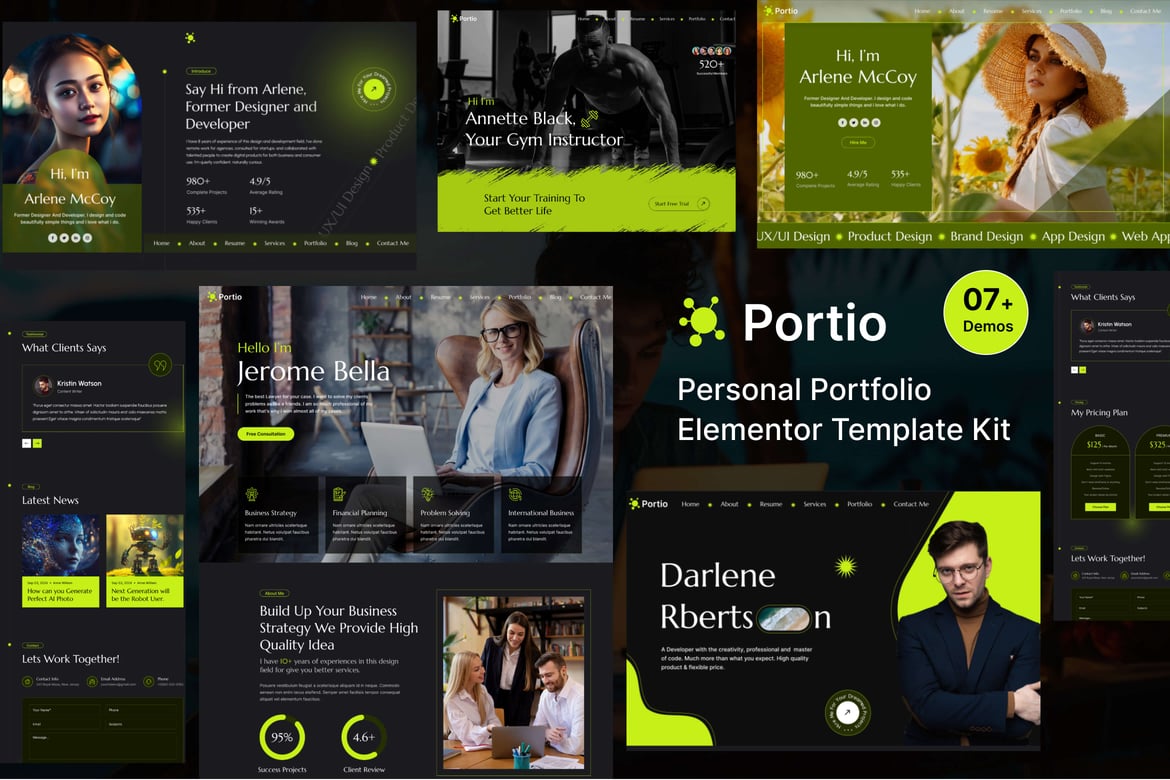
DOWNLOAD Portio – Portfolio Elementor Template Kit
$1.08
- INR: ₹ 99.00
Description
Portiois an Elementor Template Kit for quickly and easily creating a full website in WordPress for your business featuring a modern and professional design. The kit features a fully compatible design system and professionally hand-picked images for a premium, branded head-start on your next project. Optimized for use with the free Hello Elementor theme, this kit is fine-tuned, fast-loading and fully responsive. Template Features : Full width website template kit 100% Responsive & mobile-friendly Modern design Built with Elementor Flexbox Containers Easy to customize Fundraising Support What’s Included: Global Style Main Home About Contact Gallery Comming Soon Service Service Single Portfolio Portfolio Single Blog Single Blog Header Footer 404 Error Plugins installed with kit Elementor Jeg Elementor Kit MetForm Lite ### How to Use Template Kits: This is not a WordPress Theme. Template kits contain the design data for Elementor only and are installed using the envato Elements plugin for WordPress or directly through Elementor. Elementor Template Kits use the Envato Elements plugin to install. Detailed Guide: https://help.elements.envato.com/hc/en-us/articles/36032349441945-How-to-Install-Elementor-Template-Kits-With-the-Envato-Elements-Plugin-in-WordPress-for-Envato-Elements-Subscribers For further support, go to Elementor > Get Help in WordPress menu. How to Import Metforms If you have Elementor Pro, skip install of Metform and form blocks. Import the metform block templates Import the page template where the form appears and right-click to enable the Navigator Locate and select the Metform widget and click Edit Form. Choose New, then Edit Form. The builder will appear Click ‘Add Template’ grey folder icon. Click ‘My Templates’ tab. Choose your imported metform template, then click ‘Insert’ (click No for page settings). Once the template is loaded, make any desired customizations and click ‘Update Close’ The form will appear in the template Click Update How to setup header in Elementor Header & Footer Builder plugin headers and footers may be customized under Appearance >> Header & Footer Builder. Go to Elementor Header & Footer Builder from Apprience menu item >> Header Template Click Add New Header Add condition All Site and click Create Click gray folder icon to access My Templates tab Insert the header template. Customize and Save. Images Used This Template Kit uses demo images from Envato Elements. You will need to license these images from Envato Elements to use them on your website, or you can substitute them with your own. https://elements.envato.com/collections/PGW9Z25FYV,

Related products
-
87% OFFSale!

Gofarma – Farm & Fresh Produce Elementor Template Kit
Original price was: $16.38.$2.17Current price is: $2.17.Buy Now- INR: ₹ 199.00
-
87% OFFSale!

Foodrest – Restaurant & Catering Elementor Template Kit
Original price was: $16.38.$2.17Current price is: $2.17.Buy Now- INR: ₹ 199.00
-
87% OFFSale!

Monorior Space – Gradient Interior Elementor Template Kit
Original price was: $16.38.$2.17Current price is: $2.17.Buy Now- INR: ₹ 199.00
-
87% OFFSale!

Paradiso – Hotel & Resort Elementor Template Kit
Original price was: $16.38.$2.17Current price is: $2.17.Buy Now- INR: ₹ 199.00


Reviews
There are no reviews yet.